Ads 468x60px

Showing posts with label Free Browsing. Show all posts

Saturday, 14 September 2013

Mtn magic sim activation now working

The mtn magic sim have been block for long now .. but this recent development
it have now been reactivated and now working
do this this just flow this steps below ..you will need to get new sim card and not the old one becouse if you use the old one it will not work . after that you will need to register your Simand make sure that you have a minimum balance of #10 naira in your sim account . .Migrate to MTN PULSE by dialing *406# 3. Set the date on ur phone to August, 15,2005. 4. After migration then subscribe 4 MTN 5MB Daily plan ..dial*406*1# THEN MTN GIVES YOU 5MB AND DEDUCTS JUST 5 NAIRA FROM YOUR PHONE AND IT ENDS AT 11 : 59 PM. THEN CORRECT UR DATE5. After subscribing, browse wit ur phone forjust 10 mins and dont download any thing ooooh just only browse...and when it 10 mins just off your phone or remove your simcard 6. Note this is very important when its11:40 pm on the please start browsing and dontstop till 12:30 am, MTN will not disconnect u even though ur expire time is over try nd download ,if you think you will sleep off just open ur 2go down... denafter 1hr of browsing, switch OFF ur phone nd ON it agin you are now good to go

YOU CAN ALSO USE THE COMMENT BOX BELOW FOR US TO KNOW HOW IT WORK FOR YOU OR NOT

HOW TO GET 100GB ON YOUR ETISALAT

YOU WILL NEED TO FLOW THIS STEPS FOR THIS TO WORK
 you will first get and etisalat sim if you dont have any
after that you will need to recharge your account with
#100 airtime.
you will need to remove or transfer #50 out from your account
to any other account etisalat account
or sim card
now after that Dial*499*2*2#tw enty time. Youwill get100GB Without
deducting Your Money..in your account
you are now good to go

YOU CAN ALSO USE THE COMMENT BOX BELOW FOR US TO KNOW HOW IT WORK FOR YOU OR NOT.

 .

Tuesday, 18 June 2013

LEAN HOW TO BROWSE FREE ON YOUR BLACKBERRY WITHOUT BIS

i have really giving much time in my resach trying to find out easy and
good way where by you can brows free using your blackberry
with out bis subscription here are the easy way to do that
all you have to do is to flow the steps below.
 first you have to make some settings on your blackberry phones.
 to setup your TCP settings.
now you will need to configure  your BB for Free Internet browsing:
In your BlackBerry menu,
how to do that is to  kindly go to Options>>Advanced
next  Options>>TCP
 and then enter your APN information from your GSM provider
 (MTN, Glo, Airtel or Etisalat). These are the TCP APN
 settings for all of the providers in this country

now what you have to do is to do some manul configureaton

for your apn nework
i have two common network here you can use any of them
depending what you want

APN for Etisalat: etisalat APN for MTN: web.gprs.mtnngeria.net [Username = web, Password = web) APN for Zain: internet.ng.zain.com APN for Globacom: gloflat (for modem) [Username = nothing, Password = nothing) APN for Globacom: glowap (for wap browsers)

Read more at: http://www.naijafinder.com/threads/64122-HOW-TO-BROWSE-FREE-ON-YOUR-BLACKBERRY-WITHOUT-BIS
© Naijafinder.com

APN for Etisalat: etisalat APN for MTN: web.gprs.mtnngeria.
net [Username = web, Password = web) APN for Zain: internet.ng.zain.com
 APN for Globacom: gloflat (for modem)
 [Username = nothing, Password = nothing) APN for Globacom: glowap (for wap browsers)
web.gprs.mtnngeria.net [Username = web, Password = web)
 APN for Zain: internet.ng.zain.com APN for Globacom: gloflat (for modem) [Username = nothing, Password = nothing) APN for Globacom: glowap (for wap browsers) Once you are done with these settings, then you should get a browser to surf the internet. The best browser for you to use is the Opera Mini Web
if this really work dont forget to use our comment box below
also you can contact us on face book


you have to make some settings on your blackberry phones. The first thing you need to do is to setup your TCP settings. How to configure your BB for Free Internet browsing: In your BlackBerry menu, kindly go to Options>>Advanced Options>>TCP and then enter your APN information from your GSM provider (MTN, Glo, Airtel or Etisalat). These are the TCP APN settings for all of the providers in this country

Read more at: http://www.naijafinder.com/threads/64122-HOW-TO-BROWSE-FREE-ON-YOUR-BLACKBERRY-WITHOUT-BIS
© Naijafinder.com
you have to make some settings on your blackberry phones. The first thing you need to do is to setup your TCP settings. How to configure your BB for Free Internet browsing: In your BlackBerry menu, kindly go to Options>>Advanced Options>>TCP and then enter your APN information from your GSM provider (MTN, Glo, Airtel or Etisalat). These are the TCP APN settings for all of the providers in this country for you below: APN for Etisalat: etisalat APN for MTN:

Read more at: http://www.naijafinder.com/threads/64122-HOW-TO-BROWSE-FREE-ON-YOUR-BLACKBERRY-WITHOUT-BIS
© Naijafinder.com
you have to make some settings on your blackberry phones. The first thing you need to do is to setup your TCP settings. How to configure your BB for Free Internet browsing: In your BlackBerry menu, kindly go to Options>>Advanced Options>>TCP and then enter your APN information from your GSM provider (MTN, Glo, Airtel or Etisalat). These are the TCP APN settings for all of the providers in this country

Read more at: http://www.naijafinder.com/threads/64122-HOW-TO-BROWSE-FREE-ON-YOUR-BLACKBERRY-WITHOUT-BIS
© Naijafinder.com
you have to make some settings on your blackberry phones. The first thing you need to do is to setup your TCP settings. How to configure your BB for Free Internet browsing: In your BlackBerry menu, kindly go to Options>>Advanced Options>>TCP and then enter your APN information from your GSM provider (MTN, Glo, Airtel or Etisalat). These are the TCP APN settings for all of the providers in this country

Read more at: http://www.naijafinder.com/threads/64122-HOW-TO-BROWSE-FREE-ON-YOUR-BLACKBERRY-WITHOUT-BIS
© Naijafinder.com

Monday, 17 June 2013

NEW UPDATE ZAIN FREE BROWSING USING YOUR PHONE

All you have to do is to flow the setting below\
Zain default IP: 172.18.254.5 Port: 8080,
in  Access Point name use this : mms.ng.zain.com (activate mms on your phone)
now For the opera server is: anonymous.ru/cgi-bin/nph-proxy.cgi/010100a/http/10.199.212.8.172.23.1.12@server4.operamini.com:80

NOTE :  IF IT DOES NOT WORK TRY THIS ONE FOR PHONE BROWSER  but  the must important is that you have to make sure that you write it currently so that you can be able to work .wap.ng.zain.com/globalen/px/url/303/google.com 
you can also try this  wap.ng.zain.com/globalen/url=www.google.com AND wap.ng.zain.com/globalen/px/url/303/80.232.117.10:80 for opera mod or solibay. 
still try it on oper 
it work very well ...... pls if this work for you dont forget to use our comment box below 
or you can join our facebook  for more update.

Friday, 1 February 2013

NEW GLO BROWSING TWEAK FOR PC

Get the new pc browsing  be for this can really work you will have to
flow the steps below first you will  need to have a Valid and active glo BIS subscription
2. Create a new profile using APN: blackberry.net
Username, password and IP address are all blank
On your modem or router, dial-up number is still the same: *99# or *99***1#
 i dont know how long this may work but for now you have to enjoy this while it last


Connect and enjoy glo HSI. Note it is not unlimited for now.
Your testimonies are well appreciated

Friday, 11 January 2013

HOW TO BROWS FREE FROM GANA USING TSUNAMIVPN [vodafone]

first i have recive so many commet say pls we need free browsinbf for gana some even ask me if the one use here in nigeria if it can also be use in there contry the anwser is no it only work according to your contry network that is how it work  for a starter doing this i hard and at the same time easy it all depend on you Fi  all, you need to do is to flow the steps below for it to work properly in doing this first you  have to visit the tsunami  web page @ tsunamivpn.com  you also have to make use you  register
for an account as a free trial user it only last for  30 days.
after that you will need to install the software  tsunami vpn then
run it using your computer. you will be requested to put your username and
password  giving to you after your registered at the tsunamivpn
website
 now you will have to  opens Tsunami vpn  icon in your
notification area with two red computers
and a globe showing tsunami isn’t
connected. now Right-click the icon,
NOTE:  it will show the available
servers. Point to any server and select “Edit
Config”.
you  will have to open a notepad and clear everything in the
notepad and paste this into it and “save”:
# TsunamiVPN Client Config
tls-client
client
dev tun
proto udp
remote 173.231.57.174 53
ca tsunami.crt
route-method exe
route-delay 2
resolv-retry infinite
nobind
persist-key
persist-tun
comp-lzo
verb 3
reneg-sec 0
auth-user-pass account.txt
you still have more work to do you will need to Right-click on the icon again and point to
the server you just edited and then  click
“Connect”. you will have to  wait for some seconds for
it to connect .
the final and the last work you have to do is to configure your firefox
browser with either “no proxy” or manual
proxy configuration with ip:80.87.92.42
and port:3129. Vodafone users  now you are good to go
if this really work for you dont forget to shere this with firend and also join us
using our facebook fan and get mor great things  coming your way

Thursday, 20 December 2012

NEW FREE BROWSING TWEAK USING AIRTEL NETWORK 2012 AND 2013

PC and also on your mobile phone . first you will need to know how this work . it is not about paying
a lot of money to to a popular network provider but this is all about browsing with a little amount of money
as low as 400 or 1200  .you may ask what kind of networks are we talking about .
airtel when happen to be one of the fast growing network in Nigeria have really make extract them self from
other network provider now you can browse free using your black berry subscription on PC and also on your mobile phone. How to step it up for PC, you will get a modem unlock it .

NOTE: it does not matter the kind of network modem you get all can be unlock or contact me i can do it for  you  after  you will need to install  it. Then Subscribe to MTN BB PLAN,either 400/WEEK OR 100/MONTH.

 HOW TO SUBSCRIBE: *dial *440*3# then send  COST #1200 FOR A MONTH, or *dial *440*2# then send COST #400 FOR A WEEK.

Now after which you must have subscribe to any of the BB plan stated above. Configure either your modem or PC suite with the following details.

APA: internet.ng.airtel.com

username:web.

password:web dial up no : *99#.

now connect  and enjoy more and fast browsing

NOTE : HERE FOR MOBILE YOU DON'T NEED TO SUBSCRIBE ALL YOU NEED IT TO PUT YOU SIM IN YOUR MOBILE PHONE THE NETWORK PROVIDER. 

Wednesday, 12 December 2012

HOW YOU CAN GET FREE UNLIMITED FROM AIRTEL 2013

Here is what people have been waiting for do you know that you can brows unlimited free browsing using airtel line so if you rally have an airtel line it is time is going to be usefull to you
and to make the work you will have to flow the steps below.

not it cant also work using your laptop.you have noting to be scard about i have been using this for long now
with my laptop and also my mobile smath phone


first you will need to load  your airtel with the sum of 1400 then subscribe
 for one mount internet  plan  then after you are true with that after you have recive
a massage after you have goten the massage you will need to
 configure the device you are using  example
 Galaxy Tab, Your Nokia Smart phone, laptop or desktop;


For manual configuration using AIRTEL Manual Settings:
 Name: Airtel NG
 Access point name: internet.ng.airtel.com
 Username: wap
 Password: wap


To share this news, use the *Share And Interact* buttons below.

Have any other opinion or question? Please share it with us using the
comment box below.

Thursday, 6 December 2012

HOW YOU CAN MAKE YOUR MOBILE PHONE RUN AND OPERATE FASTER

Possible Causes of Phone Slow Performance

memory card

 you must always chake your mobile  phone memory always make sure you have a very good space
and i mean free space in your phone memory
   
Solutions

        YOU MUST ALWAYS MAKE SURE that you stall your application on memory card and not one phone memory.

External Memory

Another reason why a phone may run slower always make sure you use the right memory on the right phone
you must not use memory much bigger that the phone you are using .
   
Solutions

         you must avoid using large external storage disk it may  cause of the slow performance.
        alway make sure you dalete some file when ever you discover that your memory is full

Installed Applications

 always have it in mine that  phone applications or programmers   also  cause  phone slow performance especially;
 anti-virus applications. is always needed in must of the mobile phone

    Solutions

        you must always update you antivirus in your mobile phone it help it a lot and keep it safe. also.

after doing all this it it still repeat it self you will have to resets your  mobile phone by going to the
 phone restore/reset will erase the phone's data and restore the phone to it's default factory settings state.

Have you any opinion to share or comment to make? Please, do so using the comment box below: it help us to serve you better

GLO FREE BROWSING TWEAK FOR DECEMBER 2012

 For long we have been wating for this Now here comes the new glo free browing tweak iiyhis have been test ted and ok 
but mine you it can only be use on glo network and the browser you will have to use is UCWEB Browsers just flow thestep listed below or it to work properly
IP:- 10.100.114.144
Port:- 3130
Apn: glogwap
User/Pass: wap

YOU WILL HAVE TO OPEN YOUR UCWEB BROWSER and INSERT: THEN ALSO FLOW THIS STEPS LISTE BELOW
FrontQ: wap.gloworld.com%3a@
Proxy Type: Choose Host
Proxy Server: wap.gloworld.com%3a@2f.uc6.ucweb.com

 dont forget to use the commeting box below it help to serve you better

Saturday, 1 December 2012

ANOTHER NEW FREE BROWESING TWEAK FOR DECEMBER 2012


HERE comes another free brow tweak just for you , there are not much work been don here 
you only have to flow the step below to configure your opera browser 
Custom Http server:
http://82.145.209.253:80
Socket Server:
socket://82.145.209.253:108

use this for the host:
wap.mtnonline.com
you can also use this:
80.145.209.253@techopera.com
  note: this free browsing work must for Java And Symbian Phones.
Meanwhile, here's another Working Mtn Free Browsing Tricks for November/december 2012:
Custom Http server:
http://109.236.80.247:80/
Socket Server:
socket://109.236.80.247:108
Host:
now you are good to go always make sure you flow the steps listed for this to work properly. 

HOW YOU CAN UNLOCK ANY PHONE WITHOUT KNOWING THE SECURITY CODE


  • you will have to get the phone unlocking code or security code
  • after you met have gotten that press and hold the unlock button for a while make sure you dont  releasing  it.
  • then some thisg will display on the sreem of the phone saying press now  *
  • once you press the star  butten the phone will  unlock

      another method  it works only for serial and imei number of the phone 
  • first dial *#06# to get the imei or serial number of the phone.
  • now goto www.unlockitfree.com once the page open you will have to put your
  • imei or serial number of the phone then click on generate
    Once done, a number will be generated, that's the master code for the phone, copy and keep the number this work even it you dont know the security of that phone.
  • HOW YOU CAN KNOW IF SOMEONE RECIVE YOUR TEXT MASSGEs

    In this way is much easy to know you only have to flow so little step.
    you anly have to go to your sent massage  , once the massge is sent it
    will appear in the sent Massage  in your mobile phone for you to see.
    Check if the other person has received your text message. You can use your iphone app to check if the other person received your message. You can confirm if your text message was received. Check if the other person has received your text message

    Read more: I need to check my boyfriend text`s? - I need to check my boyfriend texts :: Ask Me Fast at http://www.askmefast.com/I_need_to_check_my_boyfriend_texts-qna1024231.html#q2553476
    go in to you're sentbox if the message is in there it's sent if it's not check the outbox if the message is in there it's not sent.

    Read more: I need to check my boyfriend text`s? - I need to check my boyfriend texts :: Ask Me Fast at http://www.askmefast.com/I_need_to_check_my_boyfriend_texts-qna1024231.html#q2553476
    go in to you're sentbox if the message is in there it's sent if it's not check the outbox if the message is in there it's not sent.

    Read more: I need to check my boyfriend text`s? - I need to check my boyfriend texts :: Ask Me Fast at http://www.askmefast.com/I_need_to_check_my_boyfriend_texts-qna1024231.html#q2553476

    Saturday, 24 November 2012

    ANOTHER NEW FREE BROWESING TWEAK FOR NOVEMBER 2012


    There come another free browesing  tweak but here in this case you will  have to do some lettle adjustment

    to enable this work and also it work only for opera ..... you only have to flow the step below use normal zain ip but change the apn and hp to mms.ng.zain.com then use opera 2.00 then type this in the server[anonymouse.ru/cgi-bin/nph-proxy.cgi/01010a/http/10.199.212.8.172.23.1.12@80.232.117.10:80]enjoy it works only on opera

    then for etisalt networkyou can use this on your pc  this is for people using the network it also work as well but there are some step you will need to flow to make it work first you will need to recharge your account with at list 100 naira on your   etisalt sim.

    after doing that on your phone Dial *499*2*2#, one it is don the  money wil be deducted and you will receive a message concerning a BB subscription for 30 minutes. Don't mind. them

    the you will need to Remove the sim and insert it in your modem.

    you will have to  Plug the modem to your pc, Allow the Modem software to load. When loaded, Go to Tool and select Options, then click on Profile Management.

     now you have to  configure your modem profile settings On the Profile Name, write etisalat BB, and tick static and in the APN box type blackberry.net and in the access number type *99# then  click on save and OK.

    another step you have to take is to confugur your browser settings now Go to your Mozilla or Google Chrome Browser and Locate Tools, Click Options.

    flow this step . Click on Advanced > Network > Settings > Manual Proxy Configuration, Use this In the HTTP Proxy: 10.71.170.5 and in the Port:8080


    Now you are free to go enjoy the best free browsing in your door step. 

    Tuesday, 20 November 2012

    HOW TO BROWSE FREE USING WIRELESS NETWORK

    TO MANY PEOPLE in the word all want to brows free using any netwok of there choice
    here comes the  number one free brows that have been there best in the world to day
    first let try this Wireless hotspots are so prevalent that whereever you go, you might find your laptop or your portable device connecting to some unsecured ones. The goal of this article is to teach you how to protect your computer and how to behave when using free wireless hotspots. After reading this article you will know:

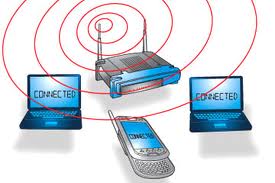
      And also there othere  like WIFI WIRELESS NETWORK  wireless networking represent the future of computer and Internet connectivity worldwide.  here are how to connect the wifi wirless network you only have to flow the step below .
    but first you have to Verify the current local IP address of your router.
    flow by Verify your computer is connected to the router
    Open a Web browser window and request a connection to the router using its local IP address. For example, type http://192.168.1.1/ in the browser's address bar to request a connection to a router using the IP address 192.168.1.1
    and also  Enter the administrative login information dont for get You may need to perform additional troubleshooting.

    FREE ONLINE INTERNATIONAL CALL

    AS we all know there are ways we can make international call using your computer
    and also it works very well. and also the good thing about this is that you dont have to spend
    a dem this serves make yous of your internet acces and that enable you to make call sa you
    want .
    Number Made Easy, Free International Calls All From Your Simple Browser Page No Extra Application Required
    Calling Code Is Automatic For You When Ever You Want To Make Use Of The Free International Calling And Sms Service. click here and flow the step you will also have to regester to complet thisand also it work well,
    and also dont forget to use or joine our Facebook fans and get more detail and information

    ANOTHER AIRTEL FREE BROWSING FOR OPERA

    NOW HERE COMES ANOTHER AIRTEL FREE BROWSING  AND BELIVE ME
    YOU WILL REALLY ENJOY THIS . YOU ONLY HAVE TO FLOW THE STEP
    BELOW.
    apn: internet.ng.airtel.com
    Ip: 195.189.142.132
    Port: 8080
    Open your opera labz or beta 82.145.211.1:80

    note: you must have @least #5 and it wuld NOT be touched.
    Downloads wella and works fine.
    For Symbian
    Jwp stetting
    HTTP proxy: 8080
    User name: ur user name
    Password. Ur jwp password
    Isp proxy: 195.189.142.132
    Port: 8080
    MAKE SURE THAT THE filter IS empty

    Friday, 16 November 2012

    ANOTHER FREE BROWESING TWEAK FOR NOVEMBER 2012

    This one is some how easy but you only have to do so adjustment here
    and also you will need an etisalat sim just to make this work and also flow the
    instruction listed below
    .
    HTTP: http://82.145.208.37
    Socket: socket://82.145.208.37
    Host:10.199.212.8
    => This cheat works on Opera 4.2 both on S40 / s60 and China Phones.

    <<OR>>

    Custom Http Server: http://82.145.208.84:80
    Socket Server: socket://82.145.208.84:1080
    Host wap.mtnonlineplay.com%3a@2f.server4.operamini.com
    Proxy Type:- HTTP
    Proxy Server:- mini.opera.com%3a@2f.server4.operamini.com OR buy.etisalat.com.ng%3a@2f.server4.operamini.com
    accesspoint:
    web.gprs.mtnnigeria.net
    primary dns: use any of
    these
    209.244.0.3
    154.156.70.1
    8.8.8.8
    secondary dns use:
    209.244.0.4
    154.156.71.1
    8.8.4.4
    IP address: 10.199.212.2
    port: 8080

    Read more: http://onlinepowers.blogspot.com/2012/11/new-free-browsing-tweak-for-network.html#ixzz3kEyXS2um
      or
    you can also try this it work to.......
    IP:- 010.071.170.005 |
     Port:- 8080
    Socket:-
    socket://82.145.210.132:1080

    Host:- mobile.etisalat.com.ng
    %3f@2a.mini5beta.opera-mini.net
    accesspoint:
    web.gprs.mtnnigeria.net
    primary dns: use any of
    these
    209.244.0.3
    154.156.70.1
    8.8.8.8
    secondary dns use:
    209.244.0.4
    154.156.71.1
    8.8.4.4
    IP address: 10.199.212.2
    port: 8080

    Read more: http://onlinepowers.blogspot.com/2012/11/new-free-browsing-tweak-for-network.html#ixzz3kEyXS2um

    Wednesday, 14 November 2012

    NEW FREE BROWSING TWEAK FOR ALL NETWORK NOVEMBER 2012

    To day lets tolk about the new free browsing  Tweaks and also
    do you know that you can brows free using all network
    and enjoy it as much as you want  but first there are some thing you must
    do for this to work you onlonly have to flow the steps below.
    note: this work for java phones only.
    now you will have to Create a prov. Choose
    dns prov as prov first type
    Name: MTN loaded
    accesspoint:
    web.gprs.mtnnigeria.net
    primary dns: use any of
    these
    209.244.0.3
    154.156.70.1
    8.8.8.8
    secondary dns use:
    209.244.0.4
    154.156.71.1
    8.8.4.4
    IP address: 10.199.212.2
    port: 8080
    NOW USE THIS FOR SYMBIAN PHONE
    accesspoint:
    web.gprs.mtnnigeria.net
    primary dns: use any of
    these
    209.244.0.3
    154.156.70.1
    8.8.8.8
    secondary dns use:
    209.244.0.4
    154.156.71.1
    8.8.4.4
    Ip address: 10.199.212.2
    port: 8080
    NOW YOU CAN ENJOY THIS WHILE IT LAST

    Tuesday, 13 November 2012

    HOW YOU CAN BROWS ON YOUR BLACKBERRY WITH OUT SUBCRABING FOR BIS

    For the past years i have been try to know
    how i can browes with out subcrabing for
    mtn date  plan now  finally find a way out
    to do this you will have to folow the steps below
    but befor doing this there are something you must do
    first you will have to set your TCP/IP address to do this
    goto
    MENUE>OPTIONS>ADVANCED OPTIONS>TCP/
    IP. You enable the 2boxes there,then you
    put the access point sever of the network you
    are using and the password and username.

    step 1.
    you get tobuy yourself a new blackberry
    phone.dont subscribing yet ,in seat your sim 
    now goto your blackberry phone browser
    type in this address.www.m.opera.com now look
    what will appear on the screen of your new
    blackberry phone(Download Opera Mini 6.5
    for BlackBerry (English
    (Nigeria))). You will have to download it
    now on your  blackberry phone.
    after the downloading the opera mini in
    your blackberry mobile install it
    after doing that it.now you log into
    your facebook account and browse.then if
    you want to download 2go to your new
    blackberry phone,you type this address on
    your new blackberry phone browser,
    (www.2go.I'm). Follow the process
    accordingly,download your 2go and install it
    then you can now 2go.
    Now you can now brows with out subcribing
    to bis. ENJOY YOUR BLACKBERRY. THANKS